Cydia is a third-party app manager designed for jailbroken iPhones and iPads. This guide explains how Cydia works today, which iOS versions are supported, and safer alternatives if jailbreaking is not available.
What Is Cydia?
Cydia is an alternative app manager for iOS devices that have been jailbroken. It allows users to install apps, tweaks, and system modifications that are not available on Apple’s App Store.
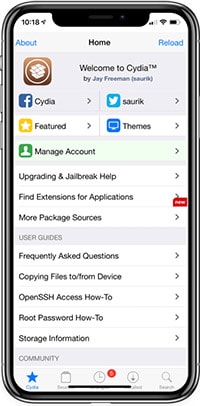
Originally created by Jay Freeman (Saurik), Cydia became popular among advanced iPhone users who wanted more control over their devices. Unlike the App Store, Cydia uses repositories (sources) that host packages created by independent developers.
It’s important to understand that Cydia does not work on non-jailbroken devices. Modern iOS versions have limited jailbreak support, which means availability depends on your device and iOS version.
Does Cydia Still Work in 2026 ?
Cydia still works in 2025, but only on specific devices and iOS versions that support jailbreaking. Newer iPhones and the latest iOS releases have stronger security protections, which limit full jailbreak availability.
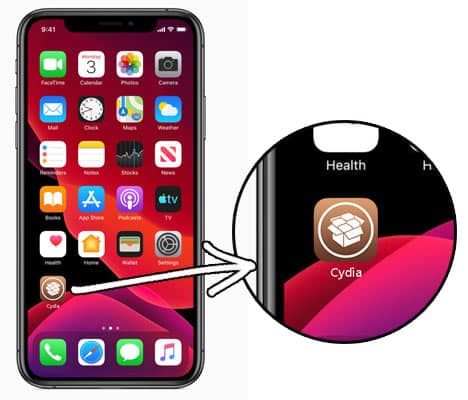
Older devices using checkm8-based jailbreaks continue to support Cydia, while newer devices may require alternative package managers such as Sileo or Zebra. Because jailbreak support changes frequently, users should always verify their device compatibility before attempting to install Cydia.
For users on unsupported iOS versions, safer alternatives are often a better option than attempting outdated or unreliable installation methods.
How to Get Cydia Safely ?
The only reliable way to install Cydia is through supported jailbreak tools. There is no official method to install Cydia on a non-jailbroken iPhone or iPad.
Before installing Cydia, users should confirm their device model and iOS version are compatible with an active jailbreak. Using outdated tools or unofficial installers can lead to errors, security risks, or unstable performance.
If jailbreaking is not supported on your device, alternative package managers or non-jailbreak app installers may offer limited customization without modifying system files.
Cydia Alternatives for iOS Users
As jailbreaking has become more limited on newer iOS versions, many users now choose Cydia alternatives that offer similar features with fewer risks.
Popular alternatives like Sileo and Zebra work on supported jailbreaks and provide a modern interface with faster performance. For users who cannot jailbreak their devices, non-jailbreak app installers may offer limited access to modified apps and customization options.
Choosing the right alternative depends on your device, iOS version, and how much system-level control you need. In many cases, alternatives provide a safer experience than attempting unsupported jailbreak methods.
Is Cydia Safe to Use?
Cydia itself is not malware, but its safety depends on how it is used. Because Cydia installs packages from third-party repositories, users must be careful about which sources they add.
Installing tweaks from untrusted repositories can lead to privacy risks, battery drain, or system instability. For this reason, users should only install packages from well-known and reputable sources. For better security, only install tweaks from trusted Cydia sources.
Jailbreaking also reduces some of Apple’s built-in security protections, which may increase exposure to threats if proper precautions are not taken. Users should always back up their device and understand the risks before proceeding.
Frequently Asked Questions
Is Cydia legal to use?
Cydia itself is legal, but some tweaks or repositories may violate app or content policies depending on how they are used.
Can I install Cydia without jailbreaking?
No. Cydia requires a jailbroken device. There is no official or safe way to install Cydia without jailbreak.
Does Cydia work on iOS 17?
Cydia only works on specific devices and iOS versions that support jailbreaking. Compatibility varies by device.
Is Cydia free to download?
Yes, Cydia is free, but some packages and tweaks may be paid.
Disclaimer
All information and tools are provided in freecydiadownload.com are used for educational purposes only. Third-party services and sites do not belong to us, and we are not responsible for any damage. Information and services are using on your device are under your own risk.
Last updated: January 2026