Cydia is a third-party package manager designed for jailbroken iPhones and iPads. It allows users to install apps, tweaks, and system modifications that are not available through Apple’s App Store. Because Apple continuously improves iOS security, installing Cydia today depends heavily on your iOS version and device model.
This guide explains how to install Cydia safely, which iOS versions are supported, and which jailbreak tools still work. It also helps you avoid unreliable methods and choose safer alternatives when Cydia is not supported.
⚠️ Important: Cydia requires a supported jailbreak. There is no official or safe way to install Cydia on a non-jailbroken device.
What Is Cydia?
Cydia is an alternative app manager created by Jay Freeman (also known as Saurik). It became popular among advanced iOS users because it provides access to system-level tweaks, themes, and utilities unavailable on the App Store.
Instead of using Apple’s ecosystem, Cydia installs software from repositories (sources) maintained by independent developers. While this offers more flexibility, it also requires users to understand compatibility and security risks.
Today, Cydia is mainly used on older or supported iOS versions, while newer jailbreaks often rely on alternative package managers.
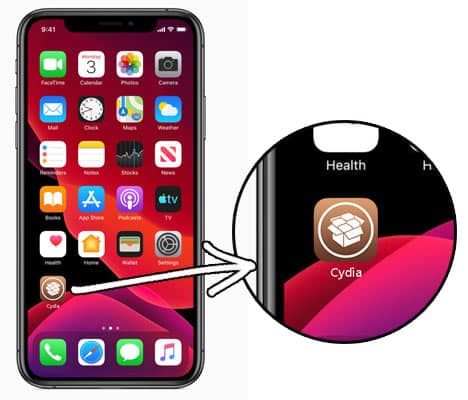
Does Cydia Still Work in 2026?
Yes, Cydia still works in 2026 but only on specific iOS versions and devices.
- Older iOS versions (iOS 12–14) have strong Cydia support
- iOS 15–16 support depends on device type and jailbreak method
- Newer devices and iOS versions have limited or no full Cydia support
Many modern jailbreaks install Sileo or Zebra instead of Cydia by default. In some cases, Cydia can still be added manually, but support is not guaranteed.
Because compatibility changes frequently, checking your exact iOS version is the most important step before attempting installation.
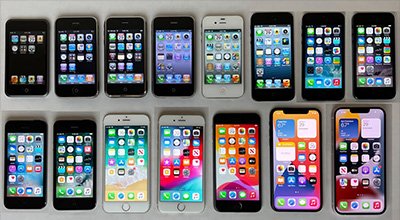
How to Install Cydia (General Overview)
Installing Cydia is not a one-click process. It depends on using a compatible jailbreak tool.
General steps:
- Check your iOS version and device model
- Confirm jailbreak compatibility
- Use a supported jailbreak tool
- Cydia installs automatically or manually (depending on tool)
- Add trusted repositories only
This guide acts as a central hub to help you find the correct method for your setup.
Cydia Installation Support by iOS Version
Below is a compatibility overview showing which jailbreak tools support Cydia on different iOS versions.
| iOS Version | Jailbreak Tool | Supported iOS Range | Cydia Support | Guide Link |
|---|---|---|---|---|
| iOS 16 | Dopamine | iOS 16 – 16.6.1 | Partial | Install Guide |
| iOS 16 | Palera1n | iOS 16 – 16.5.1 | Yes | Install Guide |
| iOS 15 | Palera1n | iOS 15 – 15.7.7 | Yes | Install Guide |
| iOS 15 | Dopamine | iOS 15 – 15.4.1 | Partial | Install Guide |
| iOS 15 | Fugu15 Max | iOS 15 – 15.4.1 | Experimental | Install Guide |
| iOS 15 | Xinaa15 | iOS 15 – 15.1.1 | Partial | Install Guide |
| iOS 14 | Unc0ver | iOS 14 – 14.8 | Yes | Install Guide |
| iOS 14 | Checkra1n | iOS 14 – 14.8 | Yes | Install Guide |
| iOS 14 | Fugu14 | iOS 14.3 – 14.5.1 | Yes | Install Guide |
| iOS 14 | Taurine | iOS 14 – 14.3 | Yes | Install Guide |
| iOS 13 | Unc0ver | iOS 13 – 13.7 | Yes | Install Guide |
| iOS 13 | Checkra1n | iOS 13 – 13.7 | Yes | Install Guide |
| iOS 13 | Odyssey | iOS 13 – 13.5 | Yes | Install Guide |
| iOS 12 | Chimera | iOS 12 – 12.4.8 | Yes | Install Guide |
| iOS 12 | Checkra1n | iOS 12.3 – 12.4.8 | Yes | Install Guide |
| iOS 12 | Unc0ver | iOS 12.3 – 12.4.1 | Yes | Install Guide |
| iOS 11 | Unc0ver | iOS 11 – 11.4.1 | Yes | Install Guide |
| iOS 11 | Electra | iOS 11 – 11.4.1 | Yes | Install Guide |
| iOS 10 | Meridian | iOS 10 – 10.3.3 | Yes | Install Guide |
| iOS 10 | H3lix | iOS 10 – 10.3.4 | Yes | Install Guide |
| iOS 9 | Pangu9 | iOS 9 – 9.3.3 | Yes | Install Guide |
| iOS 9 | Phoenix | iOS 9.3.5 – 9.3.6 | Yes | Install Guide |
| iOS 8 | Pangu8 | iOS 8 – 8.1 / 8.4.1 | Yes | Install Guide |
| iOS 8 | TaiG | iOS 8 – 8.4 | Yes | Install Guide |
| iOS 7 | Pangu7 | iOS 7 – 7.1.2 | Yes | Install Guide |
| iOS 7 | Evasi0n | iOS 7 – 7.0.6 | Yes | Install Guide |
| iOS 6 | Evasi0n | iOS 6 – 6.1.3 | Yes | Install Guide |
| iOS 6 | p0sixspwn | iOS 6.1.3 – 6.1.6 | Yes | Install Guide |
| iOS 6 | Redsn0w | iOS 6.0 – 6.0.1 | Yes | Install Guide |
| iOS 5 | Redsn0w | iOS 5.0 – 5.1.1 | Yes | Install Guide |
| iOS 5 | Absinthe | iOS 5.1.1 | Yes | Install Guide |
| iOS 4 | Redsn0w | iOS 4.0 – 4.3.5 | Yes | Install Guide |
| iOS 4 | GreenPois0n | iOS 4.0 – 4.2.1 | Yes | Install Guide |
| iOS 3 | Redsn0w | iOS 3.0 – 3.2.2 | Yes | Install Guide |
| iOS 3 | Sn0wbreeze | iOS 3.1.2 – 3.2.2 | Yes | Install Guide |
Note: Jailbreak and Cydia support depends on your device model and iOS version. Always verify compatibility before proceeding.
Jailbreak Tools That Support Cydia
Here is a brief overview of common jailbreak tools that still support Cydia on compatible devices.
Palera1n Jailbreak
- Supports iOS 15–16 (A11 and older devices)
- Based on checkm8 exploit
- Often includes Cydia support
Dopamine Jailbreak
- Supports limited iOS 15–16 versions
- Focused on modern package managers
- Cydia support may be partial
Checkra1n Jailbreak
- Supports iOS 12–14
- Very stable for older devices
- Full Cydia compatibility
Unc0ver Jailbreak
- Supports iOS 11–14
- Popular and well-documented
- Includes Cydia by default
Each jailbreak tool has different requirements, so always follow the correct guide.
What If My iOS Version Is Not Supported?
If your iOS version does not support jailbreaking:
- Do not trust “no jailbreak” Cydia installers
- Avoid configuration profiles claiming Cydia access
- Do not downgrade iOS unless you fully understand the risks
Instead, consider Cydia alternatives or non-jailbreak customization options. These provide limited features but are safer for unsupported devices.
- Cydia Alternatives for Unsupported Devices
As jailbreaking becomes more limited, many users choose alternatives:
- Sileo – Modern replacement used by newer jailbreaks
- Zebra – Lightweight and fast package manager
- Non-jailbreak app installers – Limited customization without system access
These alternatives may not fully replace Cydia but often offer a better experience on newer iOS versions.
Is Cydia Safe to Use?
Cydia itself is not malware, but safety depends on how it is used.
Potential risks include:
- Installing tweaks from untrusted repositories
- System instability or crashes
- Reduced device security due to jailbreaking
Safety tips:
- Use only well-known Cydia repositories
- Avoid pirated or modified packages
- Back up your device before jailbreaking
Responsible usage significantly reduces risks.
Common Cydia Installation Issues
Some users experience issues such as:
- Cydia not opening after installation
- App crashes or loading errors
- Repository refresh failures
These problems are usually related to unsupported iOS versions or incompatible jailbreak tools. Using the correct guide and supported setup prevents most issues.
How to Remove Cydia
If you want to know how to delete Cydia from iPhone, You can do it quickly. If you are no longer wish to use Cydia App on your iOS device, you can follow our tutorial. Before following instructions, make sure to know that all installed tweaks and apps with Cydia will no longer work after deleting the Cydia app from your iPhone or iPad.
Frequently Asked Questions
Can I install Cydia without jailbreaking?
No. Cydia requires a jailbroken device. There is no official or safe non-jailbreak method.
Does Cydia work on iOS 17?
Currently, full Cydia support on iOS 17 is not available. Support depends on future jailbreak development.
Is Cydia free to use?
Yes, Cydia is free, but some packages and tweaks may require payment.
Is jailbreaking legal?
Jailbreaking is generally legal in many regions, but installing pirated content is not.
Final Thoughts
Installing Cydia in 2026 is still possible, but only with the right iOS version, device, and jailbreak tool. This guide helps you avoid unreliable methods and choose the safest available option.
If your device is supported, Cydia can still provide powerful customization. If not, alternatives may offer a safer experience without modifying system files.
Always stay informed, verify compatibility, and proceed carefully.